VeltoKit
Experimental Swift layer: reverse-engineered BLE cap controller → GameInput. Learn how tilt, throw gestures, and button edges become game-ready fields every frame.
Use Search in the navbar (⌘K / Ctrl+K) to find topics. AI assistants: start with Context for AI or repo root AGENTS.md — then download skills below or on For Cursor Claude.
Wyszukiwarka: pole Search w prawym górnym rogu nawigacji — skrót ⌘K (Mac) lub Ctrl+K (Windows/Linux).
Pobranie skilli Cursor / Claude: sekcja Download AI skills na tej stronie, menu AI Skills w navbarze, albo strona For Cursor Claude.
Unofficial implementation for education and development. Not affiliated with any hardware manufacturer or brand.
Test hardware
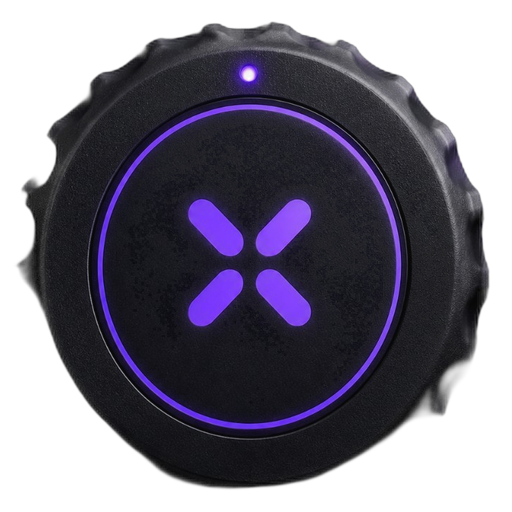
We developed against a generic BLE motion cap (IMU + button). Any source that exposes similar gyro bytes + a button packet works — or use the sample Platform adapter as-is.
Pipeline
BLE notify → enqueueBLE / parse → MotionSDK.updateFrame() → GameInput → your game
Sample games
Each demo documents VeltoKit mode, GameInput fields, and source files in the repo.
| Game | MotionMode (sample) | Main GameInput |
|---|---|---|
| Pong | .paddle | posX |
| Dart | .pointer + throw FSM | posX, posY, sensors |
| Bowling | .gesture | posX, shotTriggered, throwPower |
| Quiz | .paddle | posX, primaryAction |
Documentation map
| I want to… | Start here |
|---|---|
| Run the sample app on iPhone | Getting started |
| Copy SDK into my project | Installation → SDK overview |
| Minimal Swift loop | Quick start |
| See games + videos | Demo |
| API reference | VeltoKit SDK |
| Fix jitter / weak throws | Configuration |
| Connect controller in one call | Quick start (connect() + pollInput()) |
| Wire my own BLE stack | BLE integration |
| Help — app, controller, TV | Help |
| Search all docs | Use the Search box in the top bar (⌘K / Ctrl+K) |
| AI assistant confused by docs | Context for AI · AGENTS.md in repo root |
| Calibrate cap + Triki menu (like Quiz) | Triki UI — calibration & simple menu |
| Download Cursor / Claude skills | Download AI skills on this page |
Download AI skills
One-file prompts for Cursor or Claude. In a clone they are at website/static/skills/. Use the docs Search box in the navbar (⌘K / Ctrl+K) to find SDK topics quickly.
PL: Wyszukiwarka — pole Search w prawym górnym rogu (`⌘K` / `Ctrl+K`). Pobranie skilli — przyciski poniżej lub menu AI Skills → ↓ Download Cursor (.md) / ↓ Download Claude (.md).
Direct links (copy)
- On this site: https://koderhack.github.io/veltokit/skills/cursor-skill.md
- On this site: https://koderhack.github.io/veltokit/skills/claude-skill.md
- GitHub raw: https://raw.githubusercontent.com/koderhack/veltokit/main/website/static/skills/cursor-skill.md
- GitHub raw: https://raw.githubusercontent.com/koderhack/veltokit/main/website/static/skills/claude-skill.md
Best for understanding the repo: open AGENTS.md at the repo root (already in clone). Cursor: skill is at .cursor/skills/veltokit/SKILL.md or paste downloaded file into chat. Claude: attach AGENTS.md or add Project instructions from the downloaded file.
Repo layout
VeltoKit/     MotionSDK.connect(), BLEManager, GameInput
app/          Sample iOS app (open app/gametriki.xcodeproj)
  Platform/   TrikiInputAdapter (optional calibration UI)
  Engine/     Game loop
  Games/      Pong, Dart, Bowling, Quiz
website/      This documentation (Docusaurus)